Use the SDK

1

Import the Library

import io.adjoe.sdk.Playtime
2

Set Up PlaytimeOptions and ShowCatalog

In your main activity, you can set up playtimeOptions and call showCatalog .

class MainActivity : ComponentActivity() {
    override fun onCreate(savedInstanceState: Bundle?) {
        super.onCreate(savedInstanceState)

        try {
            val userId = "example_user_id"
            val sdkHash = "example_sdk_hash"

            val playtimeParams = PlaytimeParams.Builder()
                .setUaNetwork("tiktok")
                .setUaChannel("video")
                .setUaSubPublisherCleartext("Example: Game 2")
                .setUaSubPublisherEncrypted("8bb1e7911818be32449f6726ff7ecd102ba1862b")
                .setPlacement("Main Screen")
                .setPromotionTag("promotion-id")
                .build()

            val playtimeExtensions = PlaytimeExtensions.Builder()
                .setSubId1("Target Group 1")
                .setSubId2("Target Group 2")
                .build()

            val isoDateString = "2025-06-26T14:45:30.123Z"
            val birthday: Date = SimpleDateFormat("yyyy-MM-dd'T'HH:mm:ss.SSS'Z'", Locale.US)
                .apply { timeZone = TimeZone.getTimeZone("UTC") }
                .parse(isoDateString)!!

            val gender = PlaytimeGender.MALE
            val playtimeUserProfile = PlaytimeUserProfile(gender, birthday)

            val options = PlaytimeOptions()
                .setUserId(userId)
                .setSDKHash(sdkHash)
                .setParams(playtimeParams)
                .setUserProfile(playtimeUserProfile)
                .setExtensions(playtimeExtensions)
                
       // Add catalog listener with event type always being catalog. 
        // To remove the listener, simply call Playtime.removeCatalogListener().
        Playtime.setCatalogListener(object : PlaytimeCatalogListener() {
            override fun onCatalogOpened(type: String) {
                Log.d(TAG, "Catalog of type '$type' was opened")
            }

            override fun onCatalogClosed(type: String) {
                Log.d(TAG, "Catalog of type '$type' was closed")
            }
        })
        
        // Show catalog and pass in the playtimeOptions 
        Playtime.showCatalog(activity, options)         

        } catch (exception: PlaytimeException) {
            // Handle playtime exceptions
        } catch (exception: Exception) {
            // Handle other exceptions
        }
    }
}

Using setPlaytimeOptions

The SDK also provides an option to independently set up the playtimeOptions before calling showCatalog. Calling setPlaytimeOptions will reinitialize the SDK.

Playtime.setPlaytimeOptions(options, object : PlaytimeOptionsListener() {
        override fun onSuccess() {
                Log.d(TAG, "SDK was initialized successfully")
        }
        
        override fun onError(error: String) {
            Log.d(TAG, "An error occured initalizing the SDK: $error")
        }
    })

Using getStatus to showCatalog

The SDK that ensures that showCatalog and other methods that trigger SDK re-initialization wait until the previous init request finishes before executing. Regardless, you still have the option to conditionally call showCatalog based on the SDK's initialization status.

val status = Playtime.getStatus()
            Log.d("ADJOE", "Current SDK Status: ${status}")

if (status.isInitialized) {
    try { 
        // Pass options directly to showCatalog
        val options = activity.getPlaytimeOptions()
        Playtime.showCatalog(activity, options)
    } catch (e: Exception) {
            Log.e("ADJOE", "Error launching catalog", e)
    }
} else {
    Log.w("ADJOE", "SDK is not initialized yet. Please try again in a moment.")
}

Parameters

You should include additional User Acquisition and placement parameters. These parameters allow you to track and analyze Playtime's performance within your app.

You can provide these parameters in any combination, both at any point in the app's lifecycle—such as when a user launches the Playtime Catalog interacts with a campaign or requests a payout.

These values must be url-safe as they could potentially be returned as query parameters in the S2S Payout request.

circle-info

To make the most of the Playtime SDK, to maximize your revenue and provide the best user experience, use all of these parameters for data-driven optimizations. For instance, you can monitor the performance of different Playtime button placements or determine the effectiveness of different UA sources.

Parameter
Explanation

userId

A custom identifier you can assign to each user. If you haven't set one, the Playtime SDK generates it automatically. This ID is necessary for S2S payouts, thus required. Ensure this value is url-safe and that the value is never empty.

placement

The placement of the Playtime Catalog inside your app, e.g., "Main Screen", "Shop", "Interstitial", "More Diamonds Screen", etc.

You can also choose to use adjoe's Apps feature, showing the Playtime catalog with distinct gaming or app experiences.

promotionTag

An optional field that can be sent to adjoe to determine if the user should receive a targeted "user-level" promo.

birthday

Our game recommendations are personalized through algorithms that consider users' age. If a user consents to share their birthday, you can share this information with adjoe to enhance the customization of game suggestions.

circle-info

The birthday data should be in ISO format. If your data doesn't already look like that, please make sure to format it so that it is. Example: 2000-07-17T22:25:00.000Z

gender

Our game recommendations are personalized through algorithms that consider users' gender. If a user consents to share their gender, you can share this information with adjoe to enhance the customization of game suggestions.

uaNetwork

User Acquisition Network. The network through which the user was acquired, e.g., Adwords, Facebook, or Organic.

uaChannel

User Acquisition Channel. The channel within the network from which the user was acquired, e.g. incentivized or video campaigns.

uaSubPublisherCleartext

The cleartext package name of the sub-publisher's app ID within the network from which the user was acquired, e.g., com.domain.appName.

uaSubPublisherEncrypted

The encrypted package name or app ID of the sub-publisher's app from the network where the user was acquired.

subId1

An optional identifier that is provided back in the S2S payout URL.

subId2

An optional identifier that is provided back in the S2S payout URL.

subId3

An optional identifier that is provided back in the S2S payout URL.

subId4

An optional identifier that is provided back in the S2S payout URL.

subId5

An optional identifier that is provided back in the S2S payout URL.

Additional Useful Methods

name
description

getVersion

Returns the internal version code of the Playtime SDK, for example 70.

getVersionName

Returns the version name of the Playtime SDK, for example 3.0.0

hasAcceptedTOS

Checks whether the user has accepted the adjoe Terms of Service (TOS). Returns true if the user has accepted the TOS and false otherwise.

getUserId

Returns the unique ID of the user by which the user is identified.

hasAcceptedUsagePermission

Checks whether the user has given access to the usage statistics. Returns true when the user has given access, false otherwise.

User Experience

Terms of Service
Access to Advertising Info
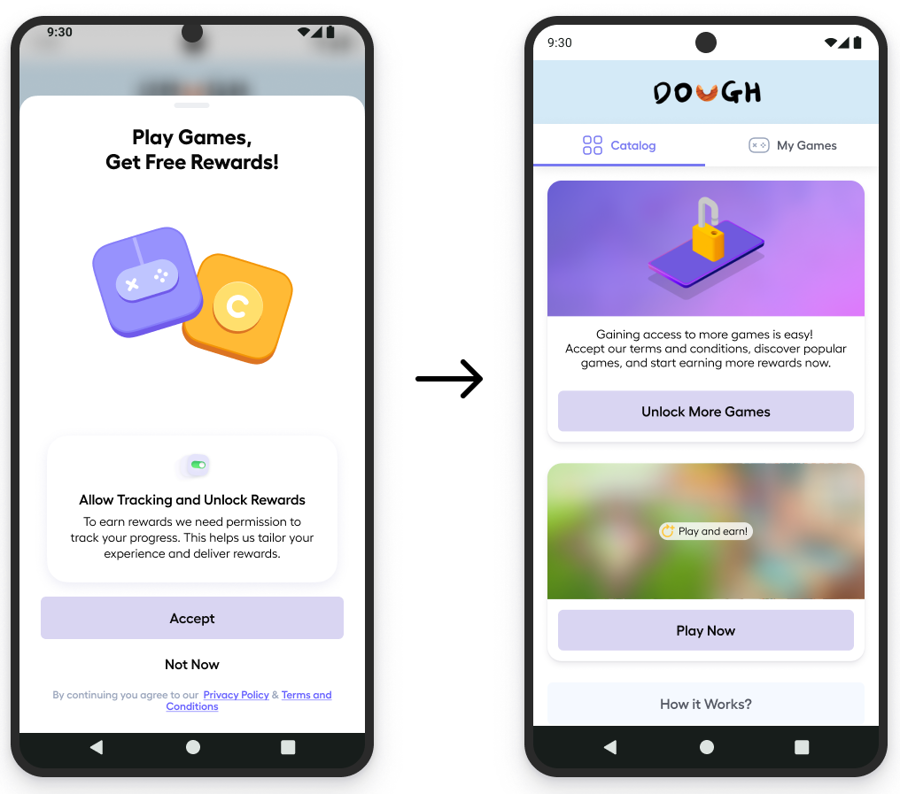
If the user rejects TOS, they will see the following screen. No campaigns will be shown.

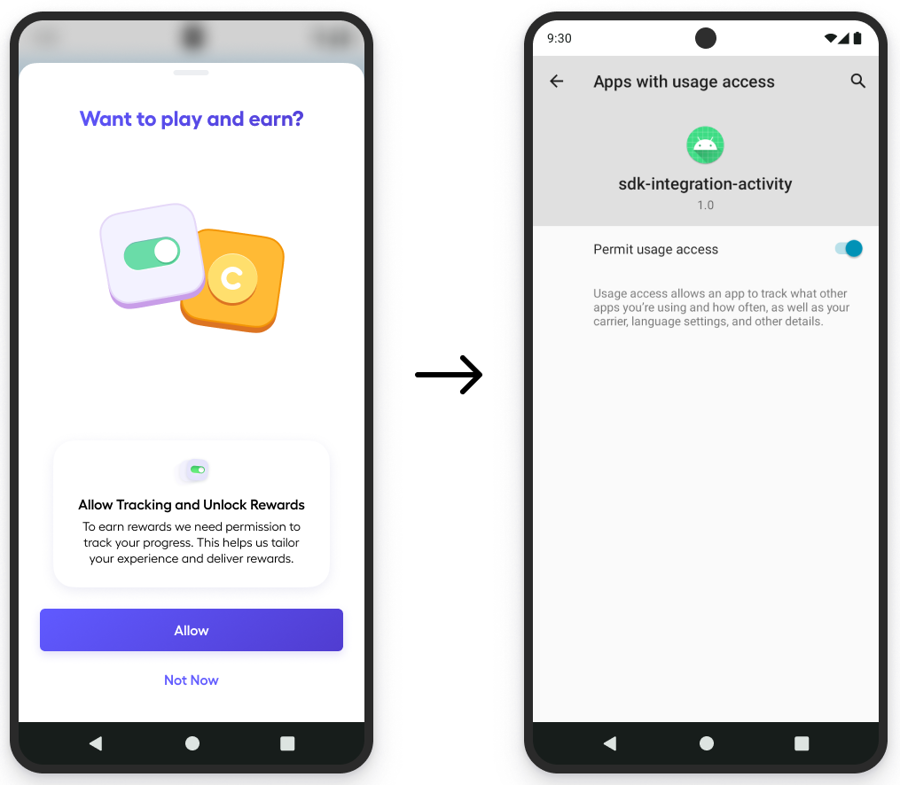
After the user selects "Allow", they will be taken to the usage settings to allow tracking.

Users need to accept adjoe's Terms of Service (TOS) to use Playtime and access games. Agreeing to the TOS is mandatory before installing any partner apps. After users accept the TOS, we can identify the types of apps/games they have installed, allowing our algorithm to tailor game suggestions on the catalog based on their preferences.

We also ask the user to accept the App Usage Permissions. This allows us to monitor the time spent in each game or app. Without accepting these permissions, users won't be eligible to participate in Playtime campaigns and will be limited to only Advance or Advance+ campaigns.

Last updated